> ## Documentation Index
> Fetch the complete documentation index at: https://docs-staging-docs-5625.mintlify.site/llms.txt
> Use this file to discover all available pages before exploring further.

> Learn how to configure your JWT Connection to sign, verify or decode JSON Web Tokens.

# JWT Vault Connection

## Configure your JWT Vault connection

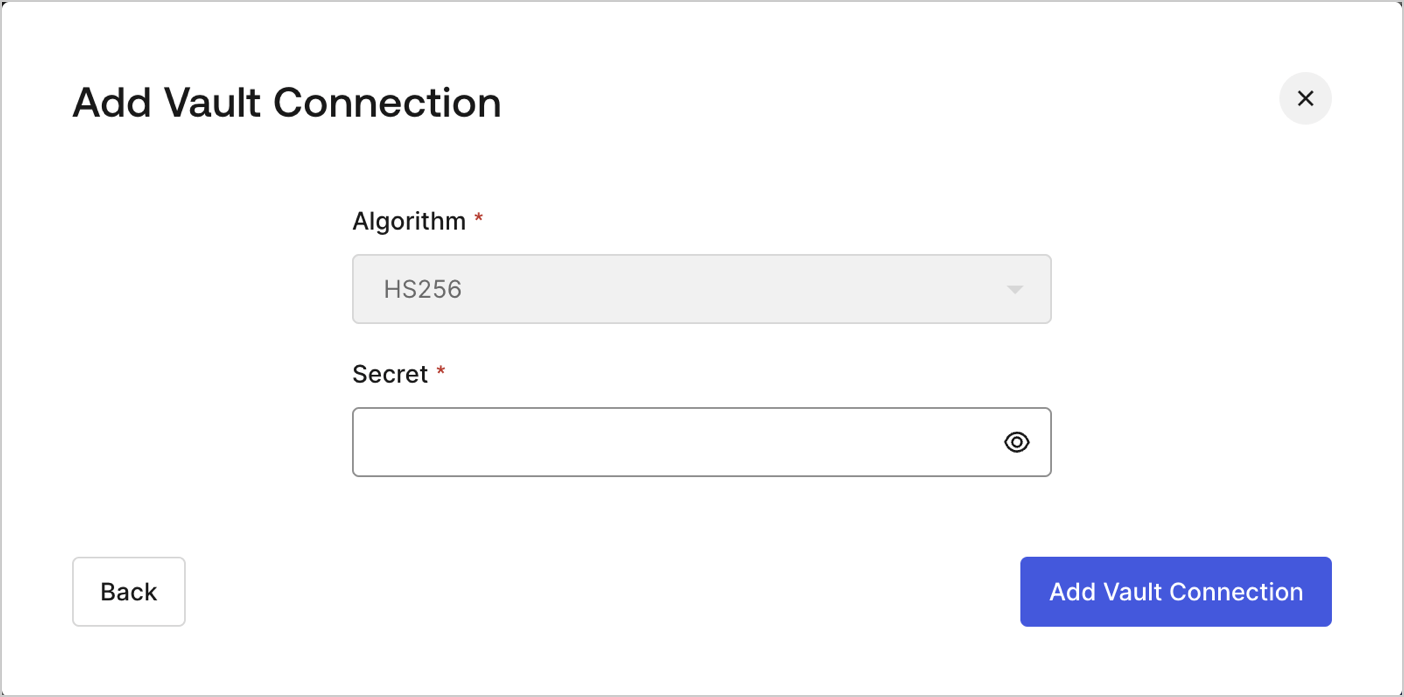
To configure an JWT Vault Connection for your Flows JWT Actions to sign, decode, and verify JSON Web Tokens, you need to set the required parameters.
<Frame>
  <img src="https://mintcdn.com/docs-staging-docs-5625/sgfcFIotnrlqRCv5/docs/images/customize/forms/vaults/jwt-vault-connection.png?fit=max&auto=format&n=sgfcFIotnrlqRCv5&q=85&s=cdc064a8ed8b4a26445ab747747fe539" alt="Dashboard > Actions > Forms > Vault > JWT" data-og-width="1404" width="1404" data-og-height="697" height="697" data-path="docs/images/customize/forms/vaults/jwt-vault-connection.png" data-optimize="true" data-opv="3" srcset="https://mintcdn.com/docs-staging-docs-5625/sgfcFIotnrlqRCv5/docs/images/customize/forms/vaults/jwt-vault-connection.png?w=280&fit=max&auto=format&n=sgfcFIotnrlqRCv5&q=85&s=08df3613aa0d3e4bec0cb1c85a6b6fa2 280w, https://mintcdn.com/docs-staging-docs-5625/sgfcFIotnrlqRCv5/docs/images/customize/forms/vaults/jwt-vault-connection.png?w=560&fit=max&auto=format&n=sgfcFIotnrlqRCv5&q=85&s=dfda7469bc34814f6c8ddbf190c12be2 560w, https://mintcdn.com/docs-staging-docs-5625/sgfcFIotnrlqRCv5/docs/images/customize/forms/vaults/jwt-vault-connection.png?w=840&fit=max&auto=format&n=sgfcFIotnrlqRCv5&q=85&s=88b495f4d51b47fe22a80481754a5896 840w, https://mintcdn.com/docs-staging-docs-5625/sgfcFIotnrlqRCv5/docs/images/customize/forms/vaults/jwt-vault-connection.png?w=1100&fit=max&auto=format&n=sgfcFIotnrlqRCv5&q=85&s=76be667c2ad4208cf52efe18b445bd37 1100w, https://mintcdn.com/docs-staging-docs-5625/sgfcFIotnrlqRCv5/docs/images/customize/forms/vaults/jwt-vault-connection.png?w=1650&fit=max&auto=format&n=sgfcFIotnrlqRCv5&q=85&s=9734e0cb4f9e67eb25f299c42120e856 1650w, https://mintcdn.com/docs-staging-docs-5625/sgfcFIotnrlqRCv5/docs/images/customize/forms/vaults/jwt-vault-connection.png?w=2500&fit=max&auto=format&n=sgfcFIotnrlqRCv5&q=85&s=466ca3657fca862a78daab5a1df5255e 2500w" />
</Frame>

## Input settings

| Parameter | Description                                                 |
| --------- | ----------------------------------------------------------- |
| Secret    | Secret to be used in the HS256 algorithm to encode the JWT. |
